Table of Contents
The longer the sales cycle, the less lead volume tells you. Build a feedback loop that helps Google Ads optimize for qualified opportunities.
Many B2B advertisers still evaluate PPC performance with one simple question: “How many leads did we generate?”
But in long B2B sales cycles, that question can be misleading. Qualified pipeline and revenue tell a much more complete story.
Lead volume is easy to measure, but it doesn’t always reflect business value. This is especially true when the product is complex, expensive, regulated, or requires a consultative sales process.
In these cases, a form submission is only the beginning of the commercial process.
The lead volume trap
Most PPC reports still focus on surface-level metrics: leads generated, cost per lead, conversion rate, form submissions, calls, and demo requests. These numbers are useful, but they shouldn’t define success on their own.
A campaign that generates 100 low-quality leads can look better in a dashboard than one that generates 15 highly qualified prospects. But if those 100 leads don’t become real sales opportunities, the campaign isn’t truly performing.
Take a premium pelvic floor therapy device. The target audience includes clinics, physiotherapists, doctors, medical practices, rehabilitation centers, fitness centers, and other potential business partners.
These aren’t mass-market buyers. Search volume is limited, the decision process is longer, and buyers often need to understand the product, business case, investment, implementation, and long-term value.
In this type of market, one qualified opportunity can be worth more than dozens of unqualified inquiries.
That’s why low lead volume doesn’t automatically mean weak PPC performance. Sometimes, it means the campaign is reaching a narrow but valuable audience. Lead volume alone doesn’t reflect B2B marketing performance.
| Funnel stage | Example volume | What the platform sees | What the business should evaluate |
| Clicks | 1,000 | Traffic from paid search | Are we attracting the right audience? |
| Form submissions | 50 | Conversions / leads | Are these leads relevant? |
| Qualified leads | 10 | Often not visible unless CRM is connected | Do they match our target customer profile? |
| Sales opportunities | 5 | Usually only visible in CRM | Is there real buying intent and business potential? |
| Closed deals | 2 | Usually not visible in ad platforms by default | Which campaigns actually generated customers? |
| Revenue | $80,000 | Only visible if revenue data is imported | What was the real return on ad spend? |
Dig deeper: Why your B2B PPC metrics may be lying to you
Uncover the keywords, ads, landing pages, and strategies driving your competitors’ paid search success—and find your next opportunity to outperform them.
A form submission isn’t a business outcome
One of the biggest mistakes in B2B PPC is treating every conversion as equally valuable.
From the ad platform’s perspective, a lead form submission, a contact request, a route click, or a page visit can all appear as conversions. But from a business perspective, they aren’t worth the same.
A serious clinic owner who contacts the company directly is usually much more valuable than a generic lead form submission from a private consumer, student, competitor, or poor-fit lead.
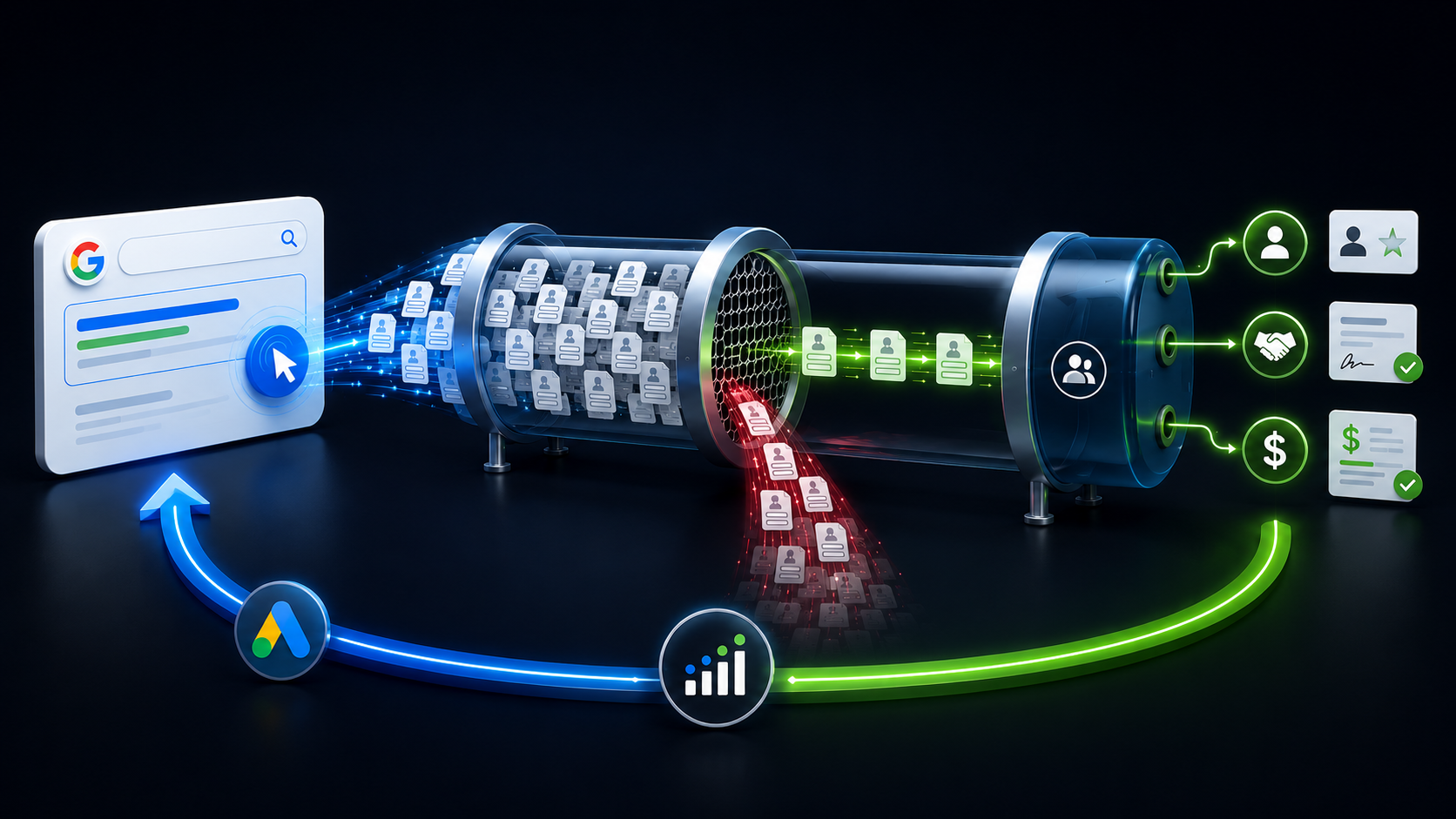
If Google Ads only receives the signal “form submitted,” it’ll try to generate more form submissions. It doesn’t automatically understand which actions are commercially valuable unless you provide better feedback.
This is where many B2B advertisers get frustrated. The account shows more conversions, but sales still says lead quality is poor. Often, the problem is the conversion signal.
The screenshot below illustrates this problem. Google Ads is tracking several different conversion actions, including contacts, route clicks, page views, call leads, and lead form submissions. Technically, all of these can be counted as conversions. But strategically, they shouldn’t all be interpreted the same way.
A contact request usually shows stronger intent than a standard lead form submission. Someone classified as a contact in Google Ads is already considered a hot lead in the CRM because our feedback loop tracks every lifecycle stage change in HubSpot and sends that data back to Google Ads.
A lead form submission, on the other hand, can include many different types of users, from serious business prospects to private consumers, competitors, or people who aren’t commercially relevant.
That’s why the numbers are hidden in the screenshot. The number of lead form submissions is roughly twice the number of contact conversions. The goal is to show that the type of conversion matters. More conversions don’t automatically mean better performance if the platform is optimizing toward the wrong actions.

Dig deeper: How to optimize B2B PPC spend when budgets and confidence are low
Why cost per lead can be misleading
Cost per lead is one of the most common PPC metrics, but in B2B, it can create the wrong incentives. Imagine two campaigns:
- Campaign A generates 80 leads at $50 per lead.
- Campaign B generates 15 leads at $200 per lead.
At first glance, Campaign A looks better. But if Campaign A creates only one qualified opportunity and Campaign B creates six, Campaign B delivers more business value.
Measure campaigns by the cost of generating qualified pipeline and revenue, not simply by cost per lead.
That means B2B advertisers should look beyond CPL and include metrics such as:
- Cost per qualified lead.
- Cost per opportunity.
- Pipeline value by campaign.
- Close rate by source.
- Revenue by campaign.
- Customer acquisition cost.
- ROAS.
| Metric | Campaign A | Campaign B |
| Leads Generated | 80 | 15 |
| Cost per Lead (CPL) | $50 | $200 |
| Total Spend | $4,000 | $3,000 |
| Qualified Opportunities | 2 | 8 |
| Opportunity Value | $20,000 | $120,000 |
| Revenue Generated | $15,000 | $95,000 |
| ROAS | 3.8x | 31.7x |
The CRM is where lead quality becomes visible
Marketing platforms show clicks, conversions, and costs. The CRM shows what happened next. That’s where PPC quality becomes visible.
In our CRM, we evaluate opportunities with two additional signals: Deal Probability and Deal Score. Deal Probability is manually updated by the sales team based on the actual conversation, budget, timing, and buying intent. Deal Score is AI-generated and helps identify which opportunities show stronger potential based on available deal and engagement data.

This gives marketing a much clearer picture than a form submission alone.
A campaign may generate many leads in Google Ads, but if those leads enter the CRM with low deal probability or weak deal scores, the campaign isn’t creating a meaningful pipeline. Another campaign may generate fewer leads, but if those leads consistently become high-probability opportunities, it’s more valuable to the business.
That’s why Google Ads, GA4, and CRM data shouldn’t be evaluated separately. If these systems are disconnected, you optimize with incomplete information. Campaigns that appear efficient on the ad platform may yield weak sales outcomes, while campaigns with higher CPLs may create better opportunities.
A better PPC feedback loop should answer:
- Which campaigns generate high-probability opportunities?
- Which keywords create strong sales conversations?
- Which landing pages produce qualified pipeline?
- Which sources generate low-quality or poor-fit leads?
- Which campaigns influence revenue, not just form submissions?
These questions can’t be answered with ad platform data alone. They require CRM data.
Import qualified conversion data back into Google Ads
For long B2B sales cycles, one of the most important steps is importing offline conversion data back into Google Ads.
When a lead becomes qualified, turns into an opportunity, or closes as a customer, that information should be sent back to the ad platform whenever possible.
This helps Google Ads understand which clicks created actual business value after the initial website conversion.
Instead of optimizing only for form submissions, campaigns can learn from deeper-funnel events such as:
- Qualified lead.
- Sales-qualified lead.
- Opportunity created.
- Deal won.
- Revenue value.
This is especially important when using automated bidding.
Smart Bidding is only as good as the signals it receives. If the algorithm is trained on poor-quality conversions, it’ll optimize toward more of them. If it receives stronger conversion data, it has a better chance of finding users who are more likely to become valuable customers.
The long-term goal is to move optimization closer to revenue.
Dig deeper: Why B2B brands are shifting from keywords to Performance Max
Sales feedback is performance data
In long B2B sales cycles, sales feedback shouldn’t be treated as anecdotal. It’s performance data.
Sales teams know which leads are serious, which objections come up repeatedly, which prospects have budget, and which campaigns produce the best conversations.
That information should influence PPC strategy. If one campaign generates many poor-fit leads, review the search terms, targeting, landing page, and conversion action.
If one keyword produces fewer leads but better sales conversations, it may deserve more budget.
If prospects keep asking the same questions before booking a consultation, the landing page may need clearer information.
This is especially important in medical technology, where buyers are evaluating trust, expertise, support, implementation, and long-term business value.

See where competitors are investing, which keywords drive their results, and how to capture more of the market.
The goal is qualified pipeline and revenue
For high-ticket and complex B2B products, the companies that win with PPC will connect marketing data with sales reality.
They’ll move beyond surface-level conversions and build feedback loops that help campaigns optimize toward a qualified pipeline and revenue.
In long B2B sales cycles, the goal is to create qualified opportunities that become customers, not simply fill the CRM with contacts.
Topics on this page
If you liked the article, do not forget to share it with your friends. Follow us on Google News too, click on the star and choose us from your favorites.
If you want to read more like this article, you can visit our Technology category.